Table of Contents

Running YOLO Models on Spark Using ScaleDP

Machine Learning & Data Processing Expert
I encountered a task in my project where I needed to detect signatures across millions of PDF documents. To tackle this, I chose to use YOLO (You Only Look Once), one of the most popular models for real-time object detection tasks.
The Spark PDF datasource enabled me to read and process PDF documents in a distributed manner, while ScaleDP already had built-in capabilities for image processing.
As a result, I developed the YoloOnnxDetector.
In this post, I’ll walk through how to run YOLO models on Apache Spark using the ScaleDP library — including how to export YOLO models to ONNX format and perform scalable inference with Spark.
Introduction
YOLO models provide fast and accurate object detection, making them ideal for real-time applications. However, processing thousands or millions of images requires scalable solutions. Apache Spark is a powerful distributed computing framework, and ScaleDP bridges the gap between Spark and state-of-the-art deep learning models, including YOLO.
Why Use Spark for Object Detection?
- Scalability: Process large datasets in parallel across multiple nodes.
- Efficiency: Distribute inference workloads to maximize resource utilization.
Overview of Scaledp
ScaleDP is a Python library designed for scalable document and image processing. It provides Spark ML transformers for tasks like object detection, OCR, and NER. The YoloOnnxDetector transformer allows you to run YOLO models exported to ONNX format directly on Spark DataFrames. Using ONNX in Scaledp allows you to run models without PyTorch or TensorFlow dependencies, making it lightweight and easy to deploy in various environments.
Exporting YOLO Model to ONNX
Before running inference, I exported YOLO model to ONNX format. ScaleDP supports models from Hugging Face Hub, but you can also export your own using the Ultralytics library.
Example of the exporting:
First need to install ultralytics package:
pip install ultralytics
Then lets export standard Yolo model pretrained on COCO dataset to ONNX:
from ultralytics import YOLO
model = YOLO('yolov11n.pt')
model.export(format="onnx")
Console output:
ONNX: starting export with onnx 1.17.0 opset 12...
ONNX: slimming with onnxslim 0.1.73...
ONNX: export success ✅ 0.7s, saved as 'yolo11n.onnx' (10.2 MB)
And I need also list of the labels for the run model:
label_list = list(model.names.values())
print(label_list)
Console output:
['person', 'bicycle', 'car', 'motorcycle', 'airplane', ....
So I can now use yolo11n.onnx for inference in Scaledp.
Setting Up the Environment
- Python 3.8+
- Apache Spark
- ScaleDP
Install Scaledp and dependencies:
pip install scaledp
Running YOLO Models with Scaledp on Spark
Let's start Spark Session with ScaleDP:
from scaledp import *

spark = ScaleDPSession(with_spark_pdf=True)
spark

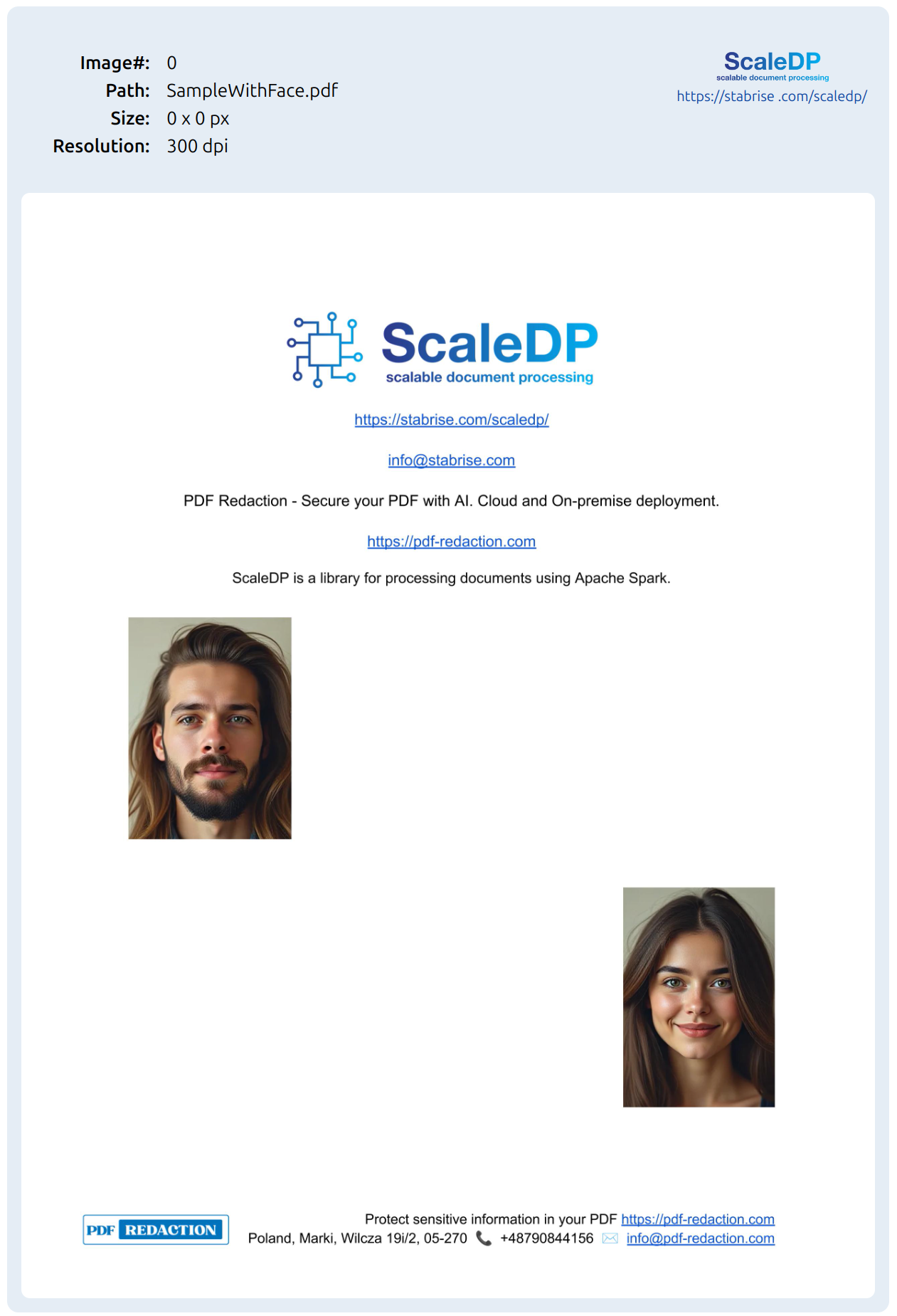
Load sample pdf file with headshot photos into a Spark DataFrame for try to detect it:
pdf_example = '../data/pdfs/SampleWithFace.pdf'

df = spark.read.format("pdf") \
    .load(pdf_example)
Lets check the dataframe schema:
df.printSchema()
Output:
root
 |-- path: string (nullable = true)
 |-- filename: string (nullable = true)
 |-- page_number: integer (nullable = true)
 |-- partition_number: integer (nullable = true)
 |-- text: string (nullable = true)
 |-- image: struct (nullable = true)
 |    |-- path: string (nullable = true)
 |    |-- resolution: integer (nullable = true)
 |    |-- data: binary (nullable = true)
 |    |-- imageType: string (nullable = true)
 |    |-- exception: string (nullable = true)
 |    |-- height: integer (nullable = true)
 |    |-- width: integer (nullable = true)
 |-- document: struct (nullable = true)
 |    |-- path: string (nullable = true)
 |    |-- text: string (nullable = true)
 |    |-- outputType: string (nullable = true)
 |    |-- bBoxes: array (nullable = true)
 |    |    |-- element: struct (containsNull = true)
 |    |    |    |-- text: string (nullable = true)
 |    |    |    |-- score: float (nullable = true)
 |    |    |    |-- x: integer (nullable = true)
 |    |    |    |-- y: integer (nullable = true)
 |    |    |    |-- width: integer (nullable = true)
 |    |    |    |-- height: integer (nullable = true)
 |    |-- exception: string (nullable = true)
So we have image column in the dataframe. Let's see the image using show_image utility from ScaleDP. It available as DataFrame method:
df.show_image()
Output:
So now we can define first stage in our simple pipeline YoloOnnxDetector:
from scaledp import *

detector = YoloOnnxDetector(
        keepInputData=True,
        partitionMap=True,
        numPartitions=0,
        task="detect",
        model="yolo11n.onnx",
        scoreThreshold=0.6,
        labels=label_list,
    )
More details about parameters you can find in the documentation.
We can run inference now:
# Assume df is a Spark DataFrame with an 'image' column
result_df = detector.transform(df)
Let's see schema:
result_df.printSchema()
...
 |-- boxes: struct (nullable = true)
 |    |-- path: string (nullable = true)
 |    |-- type: string (nullable = true)
 |    |-- bboxes: array (nullable = true)
 |    |    |-- element: struct (containsNull = true)
 |    |    |    |-- text: string (nullable = false)
 |    |    |    |-- score: double (nullable = false)
 |    |    |    |-- x: integer (nullable = false)
 |    |    |    |-- y: integer (nullable = false)
 |    |    |    |-- width: integer (nullable = false)
 |    |    |    |-- height: integer (nullable = false)
 |    |    |    |-- angle: double (nullable = false)
 |    |-- exception: string (nullable = true)
 ...
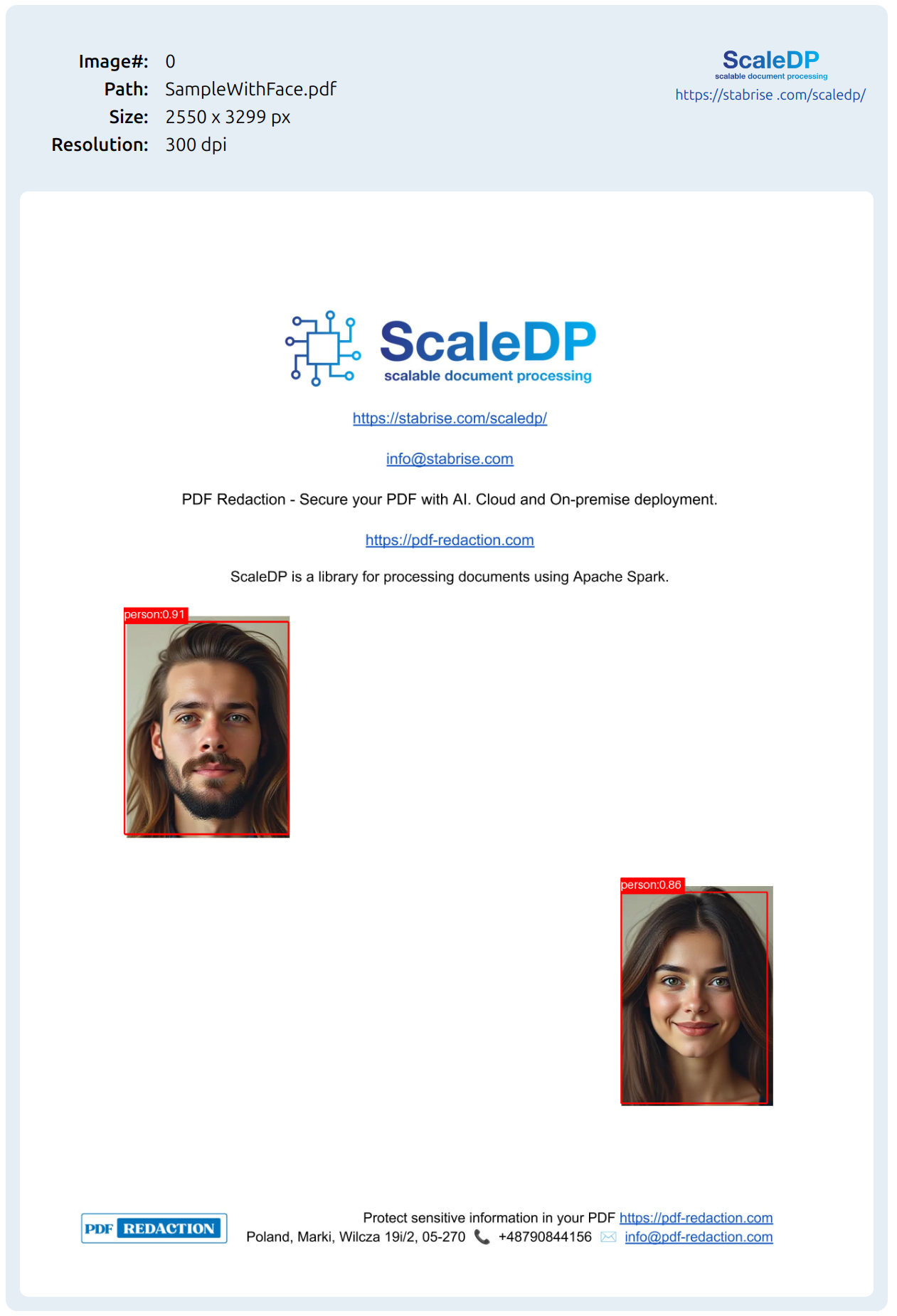
And show results:
from pyspark .sql.functions import explode
results.select(explode("boxes.bboxes")).show(10, False)
Console output:
+-------------------------------------------------------+
|col                                                    |
+-------------------------------------------------------+
|{person, 0.911443829536438, 310, 1282, 494, 638, 0.0}  |
|{person, 0.8633673191070557, 1794, 2089, 440, 634, 0.0}|
+-------------------------------------------------------+
Customizing Detection
You can adjust detection parameters:
scoreThreshold: Minimum confidence for detectionspadding: Expand bounding boxes by a percentagelabels: Provide class labels
Visualizing Results
Detection results are returned as bounding boxes. For convenient visualization, ScaleDP provides the ImageDrawBoxes transformer, which overlays detected boxes and labels on images. You can use it directly or as part of a Spark pipeline.
Direct usage:
draw_boxes = ImageDrawBoxes(
    keepInputData=True,
    inputCols=["image", "boxes"],
    outputCol="image_with_boxes",
    filled=False,
    color="red",
    lineWidth=5,
    textSize=34,
    displayDataList=["text", "score"],
)

draw_boxes.transform(result_df).show_image("image_with_boxes")
Spark pipeline usage (as in the notebook):
pipeline = PipelineModel(stages=[
    YoloOnnxDetector(
        keepInputData=True,
        partitionMap=True,
        numPartitions=0,
        task="detect",
        model="yolo11n.onnx",
        scoreThreshold=0.6,
        labels=label_list,
    ),
    ImageDrawBoxes(
        keepInputData=True,
        inputCols=["image", "boxes"],
        outputCol="image_with_boxes",
        filled=False,
        color="red",
        lineWidth=5,
        textSize=34,
        displayDataList=["text", "score"],
    )
])

results = pipeline.transform(df)
results.show_image("image_with_boxes")
Full Example Notebook
For a complete, runnable example, see the YOLO ONNX Detector tutorial notebook. You can run it directly in Google Colab for easy setup.
Benchmarking
I conducted benchmarks to evaluate performance of YoloOnnxDetector on Spark with different configurations. You can find the full benchmarking notebook in the ScaleDP Tutorials repository and post related it Benchmarking YOLO Models on Spark Using ScaleDP.
Pretrained YOLO Models in ScaleDP
ScaleDP has built-in support for several pretrained YOLO models in ONNX format, including:
- FaceDetector: Specialized YOLO model for face detection in the documents.
- SignatureDetector: YOLO model fine-tuned for signature detection in the documents.
Conclusion
Running YOLO models on Spark with Scaledp enables scalable, distributed object detection for large datasets. By exporting models to ONNX and leveraging Spark's parallelism, you can efficiently process images at scale.